
Every time you plug into a fast charger, your phone gets warm. You might naturally wonder: Am I slowly killing my battery?
It is a very common fear. We often connect fast speeds with hardware wear and tear. Plus, heat has always been the known enemy of modern electronics.
So, does fast charging actually shorten your phone’s lifespan? Or have engineers solved the heat problem? Let’s look at the real science behind it.
The Short Answer: Heat Is the Real Enemy
Fast charging alone does not destroy your battery. However, unmanaged heat and chemical stress definitely will over time.
Power flow inside a battery is complex. It relies on a constant chemical reaction. Lithium ions travel back and forth between two internal sides.
Modern fast chargers are very smart. They are not simple power bricks. Instead, they constantly talk to your phone’s internal chip to manage power safely.
The main danger isn’t the charging speed itself. The real issue is the thermal heat created by electrical resistance.
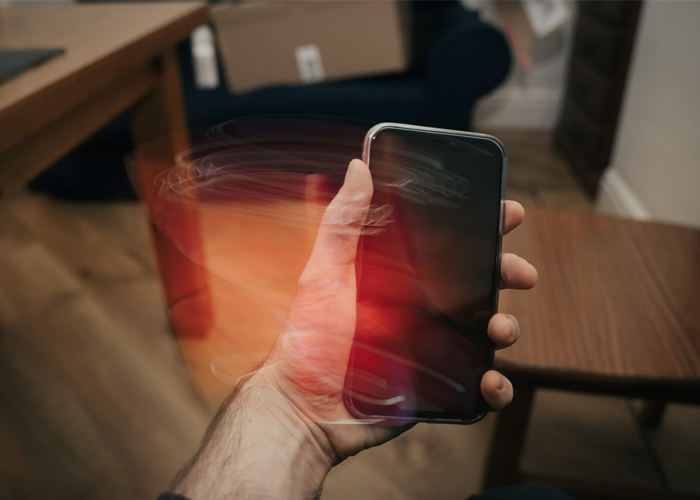
Inside the Battery: What Actually Causes Wear?
To understand battery health, we must look inside the cell.
During a charge, positive lithium ions move to the negative anode. They fit into thin layers of graphite.
With slow charging, this movement is smooth and gentle. The ions settle cleanly without physical strain.
With high-wattage fast charging, millions of ions rush over at once. If the temperature gets too high, two main problems occur:
Lithium Plating: Ions rush over too fast. They coat the surface instead of fitting inside. This lowers battery capacity permanently.
Electrolyte Breakdown: High heat degrades the liquid inside. It creates an internal barrier that blocks future energy flow.
The Two-Stage Safeguard: How Phones Protect Themselves
Engineers created a smart two-stage process to prevent overheating and battery strain:
Phase 1: The Fast Blast (0% to 80%)
An empty battery has low internal resistance. Ions can move freely without clogging.
The phone accepts maximum power during this stage. It can charge from 0% to 50% in just a few minutes. The battery absorbs this power easily without dangerous heat spikes.
Phase 2: The Trickle Slowdown (80% to 100%)
At 80%, space inside the battery graphite gets tight. Pushing high power now would create massive heat.
Your phone’s power management chip steps in here. It forces the charger to slow down drastically. The power drops to a gentle trickle for the final percentage points.
High Voltage vs. High Current Charging
Different smartphone brands handle heat in two completely different ways:
High Voltage Method (e.g., USB Power Delivery)
This method sends high voltage through the cable. However, the phone must convert that voltage down internally. This voltage conversion creates heat directly inside your handheld device.
High Current Method (e.g., GaN Direct Charging)
This method keeps the voltage low and boosts the current instead. The voltage conversion happens inside the wall charger adapter. As a result, the wall plug gets warm, but your phone stays cool.
What About Gallium Nitride (GaN) Chargers?
You have probably seen GaN chargers in stores recently. Gallium Nitride is a modern semiconductor material. It is rapidly replacing traditional silicon inside power adapters.
Why is this material better for your battery? It comes down to energy efficiency.
Traditional silicon chargers lose a lot of power. They waste up to 15% of their electricity as pure heat.
GaN technology is much more efficient. It converts over 95% of wall power into actual battery charge. Very little energy turns into wasted heat.
This brings two massive benefits to your phone:
Smaller Size: Components sit closer together. The charger becomes 50% smaller.
Lower Temperature: Less heat means a cooler, more stable power flow.
Using a quality GaN charger keeps thermal output low. It is one of the safest ways to fast-charge your phone.
The Hidden Trap: Heavy Gaming While Charging
Fast charging normally stays within safe temperature limits. What really hurts your battery health is adding heavy processing workloads at the same time.
Playing 3D games while plugged into a fast charger creates a compound heat effect:
The processor generates intense heat from rendering 3D graphics.
The battery generates heat from receiving fast power.
The display generates heat running at maximum brightness.
This trapped thermal load pushes internal temperatures above 45°C (113°F). High heat over long periods permanently degrades battery capacity.
Frequently Asked Questions (FAQ)
Is it bad to leave my phone fast-charging overnight?
No, modern smartphones are smart enough to cut off power. Once the battery reaches 100%, the phone stops drawing active current.
Does fast charging affect trade-in value?
Over a typical two-year period, the difference in battery health between slow and fast charging is usually less than 3% to 5%. It will not noticeably affect your trade-in value.
Should I turn off fast charging in my settings?
If you charge your phone overnight by your bed, turning off fast charging is a good idea. You do not need fast speeds while you sleep.
4 Simple Rules for Better Battery Health
You do not need to give up the convenience of fast charging. Just follow these simple habits:
Remove Heavy Cases: Thick rubber cases trap heat inside. Take the case off during fast charging so heat can escape into the air.
Avoid Direct Sunlight: Never fast-charge your phone on a hot car dashboard or near an open, sunny window.
Use Smart Battery Limits: Turn on software features that cap daily charging at 80% or 85%.
Avoid Deep Discharges: Plug your phone in when it reaches 20%. Avoid letting the battery drain completely to 0%.
The Final Verdict
Does fast charging cause long-term battery damage?
In laboratory tests, fast charging causes slightly more wear over three years than slow 5W charging. However, thanks to modern power chips, dual-cell designs, and thermal limits, the real-world difference is very small.
As long as you keep your phone cool, you can safely enjoy fast charging without worry!